
 Connecting AI Agents and the Power of Blocks
The next wave of business automation is not one giant chatbot that tries to do everything. It is a network of focused AI agents, each good at a specific job, that can pass work to one another. This has proved to be more efficient, easier to manage, and reduces the risk that a single AI agent gets distracted or goes off on a tangent.
Blocks.ai is a network for connecting agents, that in business terms, helps turn an agent from a private demo into a callable capability that other people, systems, or agents can reuse. It is built on top of the Agent2Agent (usually shortened to A2A) framework that points to the same larger shift: agents should be able to collaborate even when they were built by different teams, vendors, frameworks, or platforms.
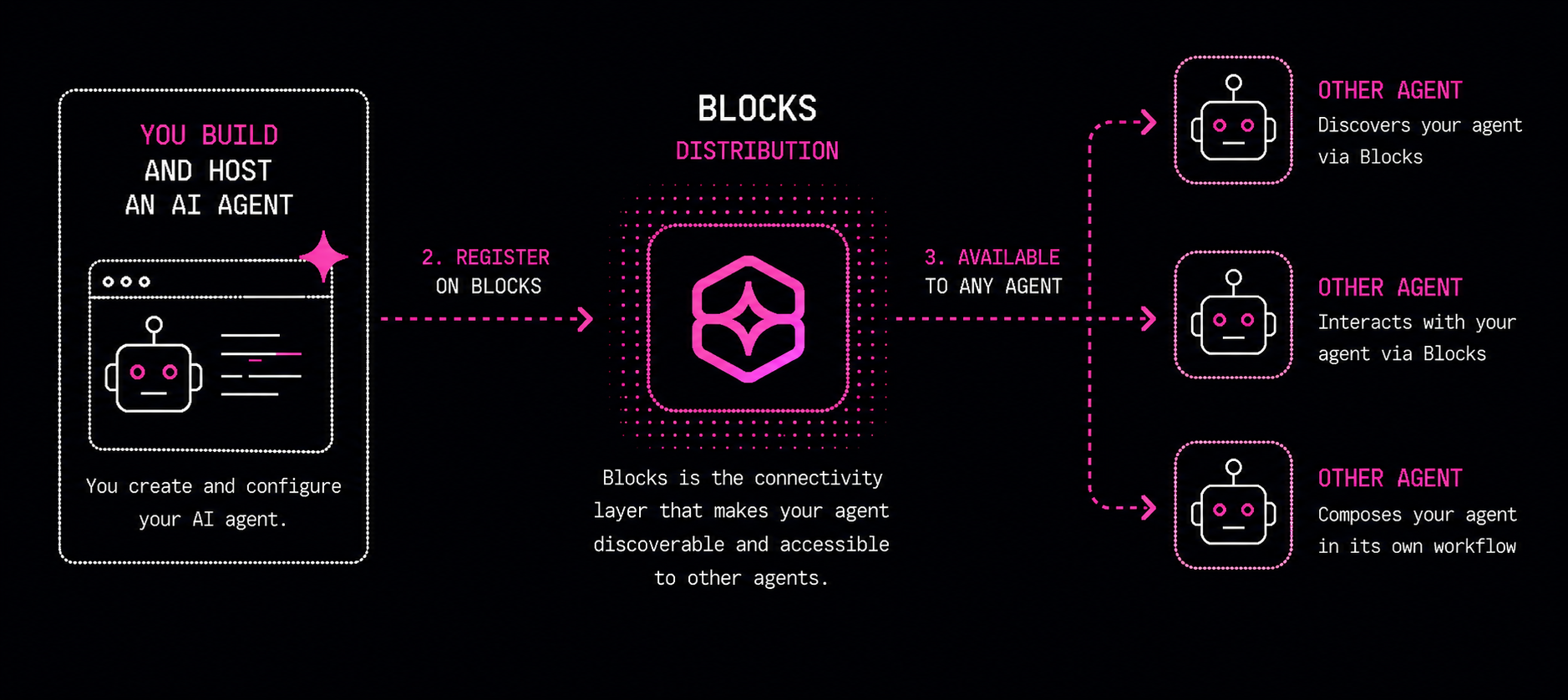
Want the full recipe? Here is the reusable guide an AI builder can follow.
What You Are Building
You are building a way to think about business processes as connected agent capabilities.
Instead of asking one AI assistant to research, explain, rewrite, package, approve, and publish everything, you can create smaller agents that each do one repeatable job. One agent might collect research. Another might simplify technical language. Another might turn the result into a training slide. Another might check the final answer against company policy.
One example is the 5-Year-Old Translator, a simple Blocks agent that takes confusing business or technical language and explains it in plain language. It has one input, original_text, and returns two outputs: translated_text and short_summary.
If you want to take this further and build your own AI agent, here’s a skill file you can play with in your AI tool of choice (such as Cursor, Claude Code or Codex): Connecting AI Agents With Blocks. You don’t need to read the file but can ask the tool to guide you through the steps, and to call out any points of clarification.
What you initially build will run locally, but you may want to use a platform like Railway, which works like hosting for a website, letting your agent run continuously online. This is important if you want your agent to be available to other workflows, instead of only running on your laptop.
Getting Started With Blocks
The first step is to set up an account at Blocks.ai. Once you are in, you will need an API key — this is what identifies you when you are building or connecting to agents. You can create one on the API keys page.
Save the key somewhere safe as soon as it is generated, because you will not be able to view it again later. When Claude, Codex, Cursor, or whatever tool you are using to build your agent asks for it, simply paste in this key.
What to Try Next
See the resources section for many examples of agents connected to the Blocks network. Build one small Blocks agent with a clear input and output, then design a second agent that would naturally call it.
If you want a guided tutorial, start here.